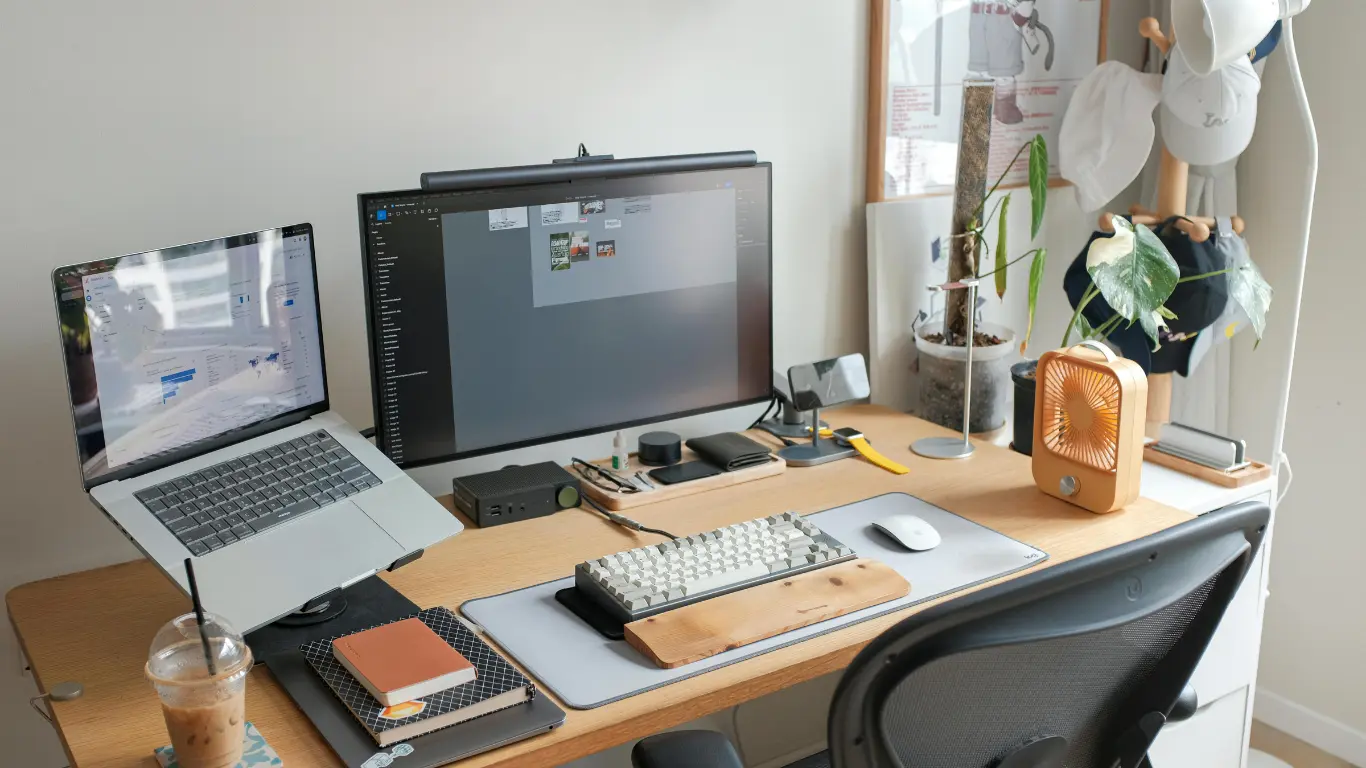
Is a Coworking Space Right for Your Remote Job? A Manhattan Guide
 11.05.2026
A coworking space for remote workers makes sense if you need quiet, reliable Wi-Fi, and a place to take calls away from home. It only works if the space fits how you actually work. The smart move is to test a space with your real workload before you pay for a membership. This guide shows you what to check before you commit.
TL;DR
- Coworking suits remote workers who need a set desk, steady Wi-Fi, and places to take calls outside the home.
- Home still wins if you need multiple monitors, full quiet, or a custom setup you can’t move.
- Before you commit, spend 1 full day in the space with your real workload, including a video call at your busiest hour.
- For confidential work, use your company VPN, keep a phone hotspot as backup, and book a closed room for sensitive calls.
- Pay by the day if you go in once a week. If you go in more often, add up a month of day passes and compare the total with a monthly plan.
- Check your employee handbook first, since some employers limit where you can connect to company systems.
Does a Coworking Space for Remote Workers Make Sense?
Coworking is no longer only for freelancers. CIC’s 2026 guide to coworking notes that these spaces now serve solo workers, hybrid employees, distributed teams, and growing companies, and that some enterprises use them for satellite offices. So the real question is not whether remote workers use coworking. It is whether it fits your job.
The problems remote workers are trying to solve
Most remote workers look at coworking for practical reasons. The home is loud, shared, or too small for a proper desk. Cafés fill up by late morning. Video calls drop on weak Wi-Fi. Common doubts are cost, noise, privacy, and whether an open room will still feel lonely. A trial day answers most of these. For the wider case on community and productivity, read our guide to the benefits of coworking.
When home is still the better option
Coworking does not fit every job. If you work on 3 screens, run long calls with sensitive clients, or need total silence to write, a well-equipped home office may serve you better. Be honest about what you need before you pay for a desk you won’t use.

Coworking vs. Coffee Shops, Libraries, and Home
Here is how the options compare over a full workday.
Coworking vs. working from home
Home is free, and you control the desk, monitors, and noise. Coworking gives you a set place to go, steadier Wi-Fi, and rooms for calls. A peer-reviewed study published by Taylor & Francis compared coworking with working from home and linked coworking to better well-being and engagement among its participants, who already used coworking spaces. Results depend on the person and the job.
Coworking vs. coffee shops
Cafés can work for a change of scene or a 2-hour block. Over a full day, seating, outlets, noise, and Wi-Fi vary from one café to the next, and some discourage long stays.
Coworking vs. libraries
Libraries are quiet and free, which suits reading and focused work. They are often a harder fit for frequent calls, although some have rooms you can reserve. Policies vary by branch.

Mixing locations through the week
You don’t have to pick one. Many remote workers stay home for focused solo days and use coworking on call-heavy days. A weekly mix is a valid plan.
Match the Space to How You Actually Work
Start with your work requirements, not the brochure.
If you’re on video calls all day
Do you need a coworking space for video calls? If calls fill most of your day, yes, but only one with rooms you can book. Ask whether meeting rooms are available by the hour and how far ahead you need to reserve. A day office may fit better than an open desk. A day office is a private office you book for short-term use, often by the hour or the day.
If you work on 2 or more screens
If you work on 2 or more screens, ask whether monitors are available or whether you can leave your own setup. A private office is usually the easier fit for this.
If you handle confidential work
Open floors mean other people can see your screen and hear your calls. A coworking space for confidential calls needs closed rooms you can book on short notice.
If you want to focus, not network
If you want a quiet coworking space, ask whether there are quieter zones and when events happen.
What Should a Coworking Trial Day Actually Test?
Here is how to test a coworking space before you commit to a monthly plan. Start with a tour, then book a day office for a few hours and bring your real workload. At WorkBetter, day offices seat 1 to 5 people by the day. A few hours of real work tell you more than any floor plan. Adjust the checks below to your job.
Take a real video call
Schedule a call you would take anyway. Close the door, check the audio both ways, and listen for noise from the hallway or the next room.
Check the Wi-Fi at your busiest hour
Book the office for the days you are usually busiest, often late morning. Run a speed test, keep your camera on for a full call, and note any drops.
Sit, look, and listen
Sit in the chair for at least 2 hours and note any discomfort. Check the desk height and make sure you can read your screen without glare.
Find the outlets
Count the outlets near the desk. A laptop, phone, and headphones need more than 1. If you bring a second screen, check that the desk has room for it.
Try to book a meeting room
Ask how booking works for meeting rooms and phone booths. A phone booth is a small enclosed room for one person, built for short calls. Ask whether your day office includes this time or bills it separately. Then try to book one.
Time your commute and check the hours
The best coworking space is often the one you’ll actually reach. Time your commute on a normal workday. Then check the booking window against your schedule. If you often start early or work late, ask what covers the hours outside the day office booking window.

Read the contract before you leave
Ask for the booking and pricing terms by email and read them before you pay.
Cancellation terms
Ask how much notice you need to cancel or move a booking.
Taxes and extra fees
Ask for the full price, including taxes and add-on fees. Ask whether day office time is sold by the hour, by the day, or through a prepaid bundle of days.
How to Keep Work Private in a Shared Space
Can you do confidential work in a coworking space? Yes, with the right setup. Shared workspaces can create privacy and network risks, especially when guests and members use the same network. Ask how the network is separated and follow your employer’s security policy.
Questions to ask about the network
Ask whether members have a separate network from guests and whether the Wi-Fi is password protected. Lock your screen when you step away.
VPNs and hotspot backup
A VPN, or virtual private network, can encrypt traffic between your device and your company’s network, depending on how your employer sets it up. Use your company VPN rather than relying on a personal one. Keep a phone hotspot as backup if your signal and data plan can handle your work.
Screens, calls, and clean desks
A privacy filter on your laptop blocks side views of your display. For confidential calls, book a meeting room or a day office for the hours you need. You get a closed door for those hours without committing to a monthly office.
What your employer’s security policy may require
Some employers limit which networks you can use, or require a VPN on any connection outside home or the office. Check before your first day, not after.
What a Coworking Space for Remote Workers Costs, Based on How Often You Go
How often you go matters more to cost than any single price. Match the plan to your week.
1 day a week
If you come in once a week, a day rate may be enough. Day rates in Manhattan vary by space and by what’s included.
2 to 3 days a week
At 2 to 3 days a week, add up a month of day passes, including taxes, and compare the total with the monthly price of a membership or office at the same space.
Full time
At 5 days a week, compare a full membership, a dedicated desk (a desk reserved for you alone), and a small private office. At WorkBetter, private offices start at $850 a month for 1 to 4 people, on terms from month to month up to 2 years.
Can Your Employer Pay for a Coworking Space?
Sometimes. Ask before you pay for a remote employee coworking space on your own card.
What to check in your employee handbook
Start with your employee handbook. If it’s silent, ask HR or your manager directly.
How to make the case
Explain what the space solves, like call quality or focus. Ask whether security approval is needed before you connect from a shared network.
If you’re looking for a coworking space for remote workers in NYC, WorkBetter operates across 6 floors of flexible workspace and amenities at 33 W 19th Street in Chelsea.

What’s on site
Day offices seat 1 to 4 people and are booked by the day. You can book a meeting room on demand, in 30-minute increments, for groups of up to 10 people. WorkBetter also has private phone booths for short calls. If you need a permanent base, private offices and team suites come with desks, chairs, filing cabinets, fiber internet, and 24/7 access.
Getting here
The entrance is on 19th Street between Fifth and Sixth Avenues. The Flatiron District is about 5 minutes on foot, Madison Square Park about 8, and Union Square about 10.
Frequently Asked Questions
Usually yes, but check your employer’s remote work and security policy first. Some employers restrict where you can connect to company systems.
They can be, with the right setup. Use your company VPN, keep a hotspot as backup, book a private room for sensitive calls, and ask the space how its network is set up
For many people, yes, over a full workday. A coworking space gives you a set desk, business-focused Wi-Fi, and rooms for calls. A café may suit a short work session better.
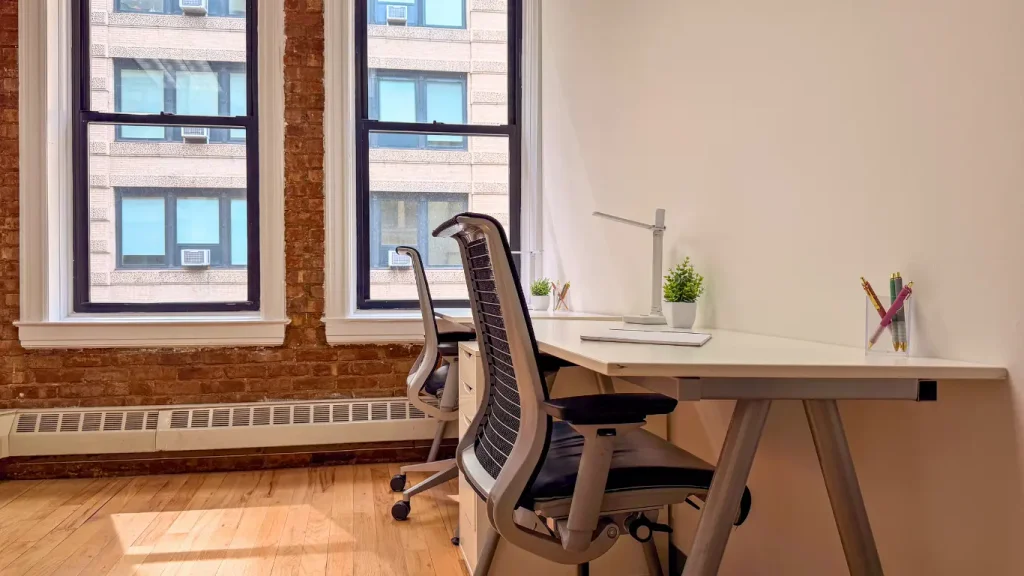
The fastest way to know if coworking fits your remote job is to spend a real day in the workspace. Book a tour of WorkBetter to see the floors and ask your questions in person.
Discover a Better Way to Work
If you are interested in learning more about WorkBetter or exploring our membership options, we invite you to book a tour of our space today
Book A Tour
Flexible, hospitality-inspired office space solutions for modern organizations.
Subscribe to receive interesting stories, professional insights, business tips, local profiles, and special offers delivered directly to your inbox.


